Launch priceTry it free first

Live video that follows Serato.

Layers, lower thirds, transitions and recording for your Serato set. Light on your Mac.

Cueframe is independent software. It is not affiliated with, endorsed by or sponsored by Serato. Serato and Serato DJ Pro are trademarks of their respective owners.

Free trial: 20-minute sessions with a watermark. No card, no account. macOS 13 or later.

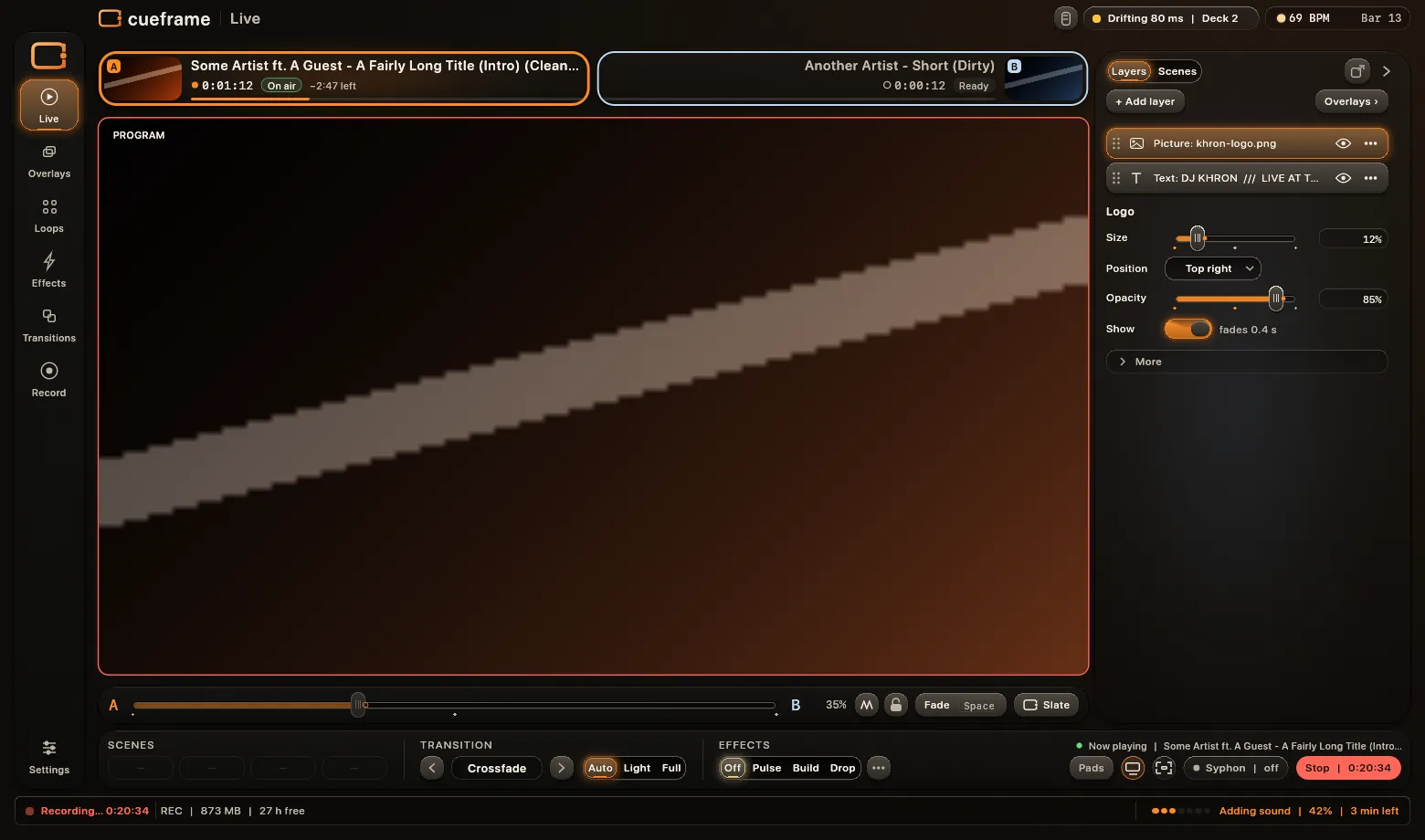
The Cueframe Live window: two decks, the program picture, layers, the fader strip, and the Scenes, Transition and Effects bar
Layers

Stack your show over the picture.

Your logo, a ticker, sponsor pictures, now playing and lower thirds. Build the stack once, then bring it in with a tap.

  • Up to 3 text and 4 picture layers, plus now playing and lower thirds
  • Each layer fades in and out with one tap
  • Drag a layer to put it above or below another
  • Save the whole stack as a scene. One tap recalls it
The Live page of Cueframe: the Layers panel lists a logo, text layers and sponsor pictures, each with an eye switch and a drag grip; the chosen text layer shows its size, colour, style and fade controls
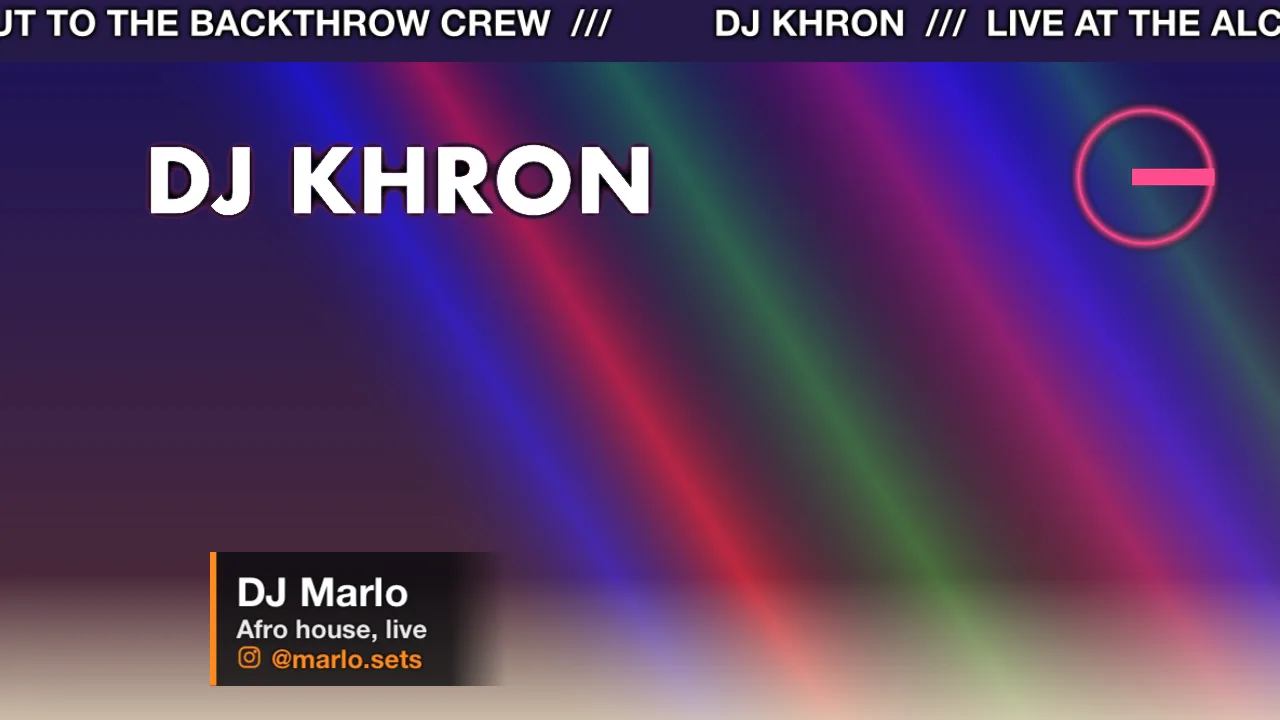
An example picture with four layers: a ticker across the top, a name in text, a logo and a lower third with the DJ's name and handle
Layers on the picture. Ticker, name, logo and a lower third, composed from renders of each layer.
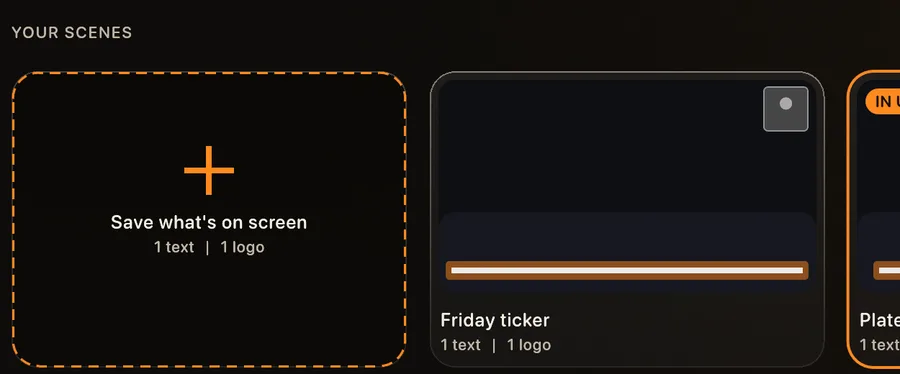
The Scenes tab: a Save what is on screen card and three saved scenes
Scenes. A saved stack, recalled with one tap.
Lower thirds

Your name and handles, on the beat.

Fill in your profile once. Cueframe rotates your name and handles over the picture, in time with the music if you like.

  • Your name, then Instagram, TikTok, YouTube and more, in and out one by one
  • A shout-out card: type it, press Enter
  • Now playing on each new track, or when you tap it
  • Move and resize on the picture. Or set it to repeat on a timer
The Lower thirds tab: the picture with a lower third reading DJ Marlo and an Instagram handle, a list of items with Show keys and switches, a shout-out field and a Stop key with the playing item named
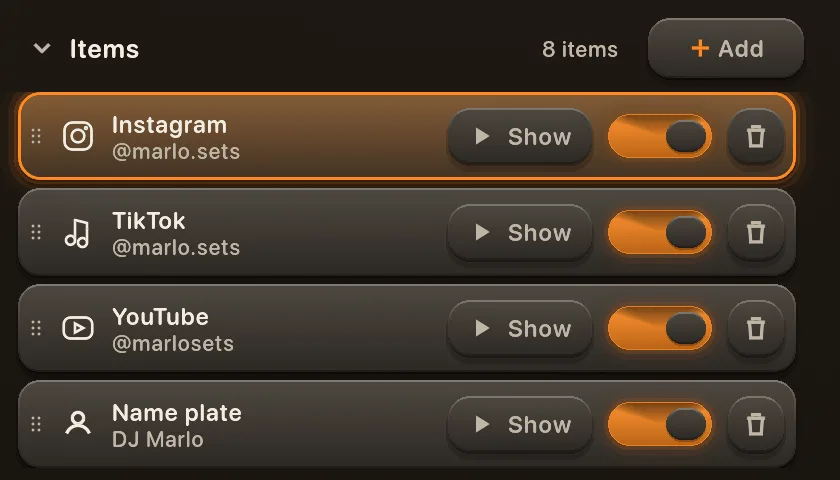
The items list: Instagram, TikTok, YouTube and a name plate, each with a Show key and an on switch
Handles in a list. Reorder, switch on or off.
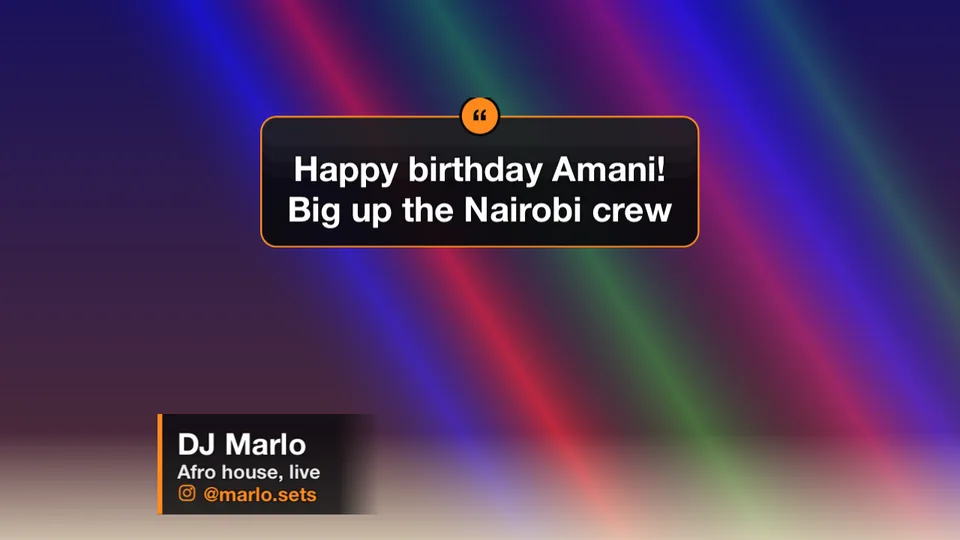
A shout-out card on the picture: Happy birthday Amani, big up the Nairobi crew
Shout-out card. Large, on a plate that reads on any video.
The Live bar's Lower thirds keys: Hide, Rotate, skip, pause
On the Live bar. Show, Rotate, skip and pause, mid-mix.
And everything around them

Built for the whole set.

63 transitions, each with an Amount

Automatic, or one tap on the beat. Keep the ones you like.
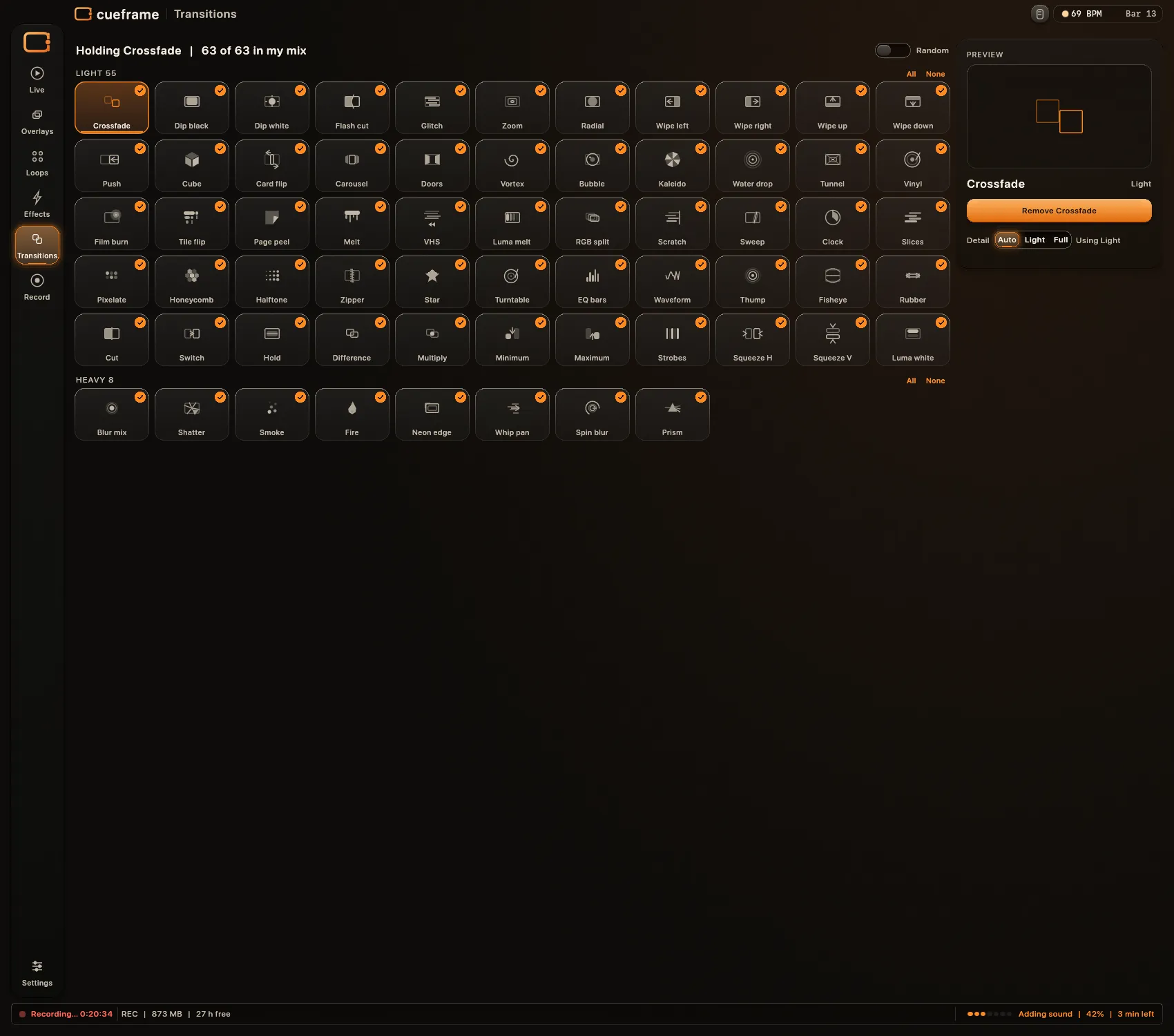
The Transitions page: a grid of 63 transitions

Recording with sound

Picture and sound in one file. You choose how the sound is saved: ask each time, keep the original, or level it.
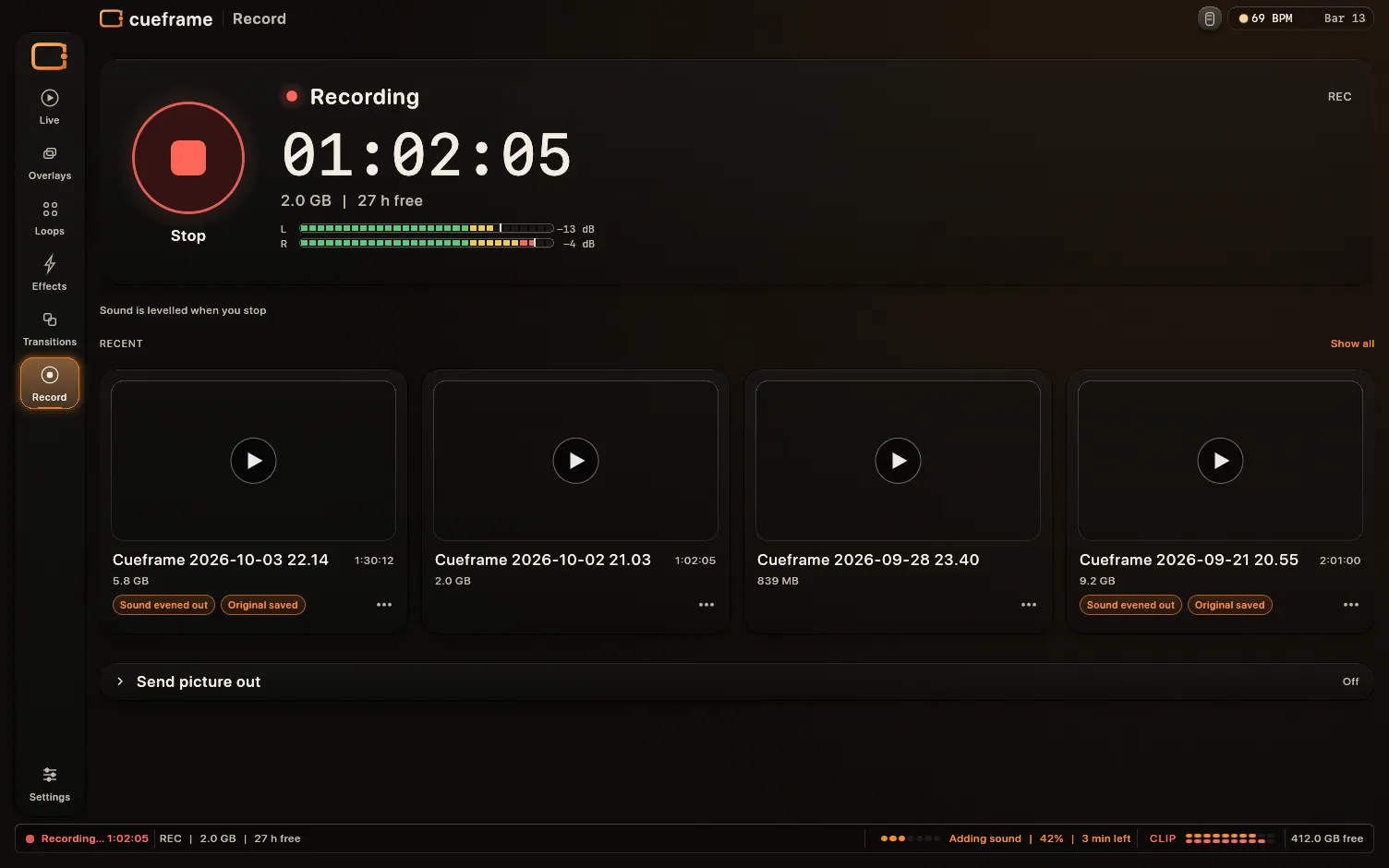
The Record page during a take: timer, size and sound meters
Sound evened out · Original saved

Output screen picker

A clean full-screen window for the projector. Pick the screen, then Fill the display.
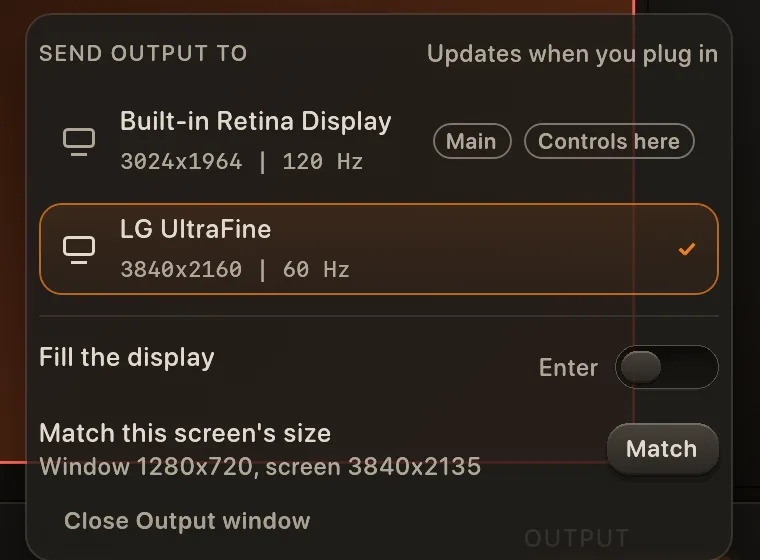
The Send output to menu: two screens listed, Fill the display, Match this screen's size, Close Output window

Never black

One key puts a calm slate on the output, and one key brings the mix back. If Cueframe ever stops, the output shows its logo and the app opens again.

The fader row with Scratch, the lock and the Slate key
  • Panic slate: on at once, a quick fade back to the mix
  • Crash guard: the output shows the logo within a second, and Cueframe opens itself again

Scratch mode

Cut or juggle with the crossfader: the picture follows it exactly, through the transition you chose.

Zig-zag key, or H

Beat ring

A thin ring on the fader knob fills a step a beat toward the next phrase.
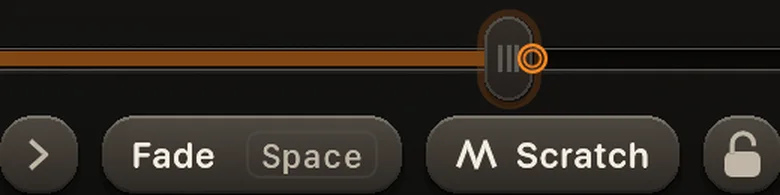
The fader knob with its beat ring

Light on memory

It draws nothing while nothing moves. The numbers, measured, are just below.

88 MBmemory, idleMeasured 2026-10-10
111 to 117 MBmemory, two decks playingMeasured 2026-10-10
0.2 msto draw the Live pageMeasured 2026-10-09

Memory: a MacBook Pro (M1 Pro, 32 GB), macOS 15.7, release build; the whole app as Activity Monitor counts it. Draw time: median of the app's paint bench on an M1 Mac, at 1x, the CPU side only. Other Macs and other sets will differ.

Everything in the box

What you get today.

Layers

  • Logo, with size, place, opacity and shadow
  • Text: scrolling, still or beat
  • Picture layers for sponsors and more
  • Now playing from the track on air
  • Fade in and out, drag to reorder
  • Scenes: save a stack, recall it in one tap

Lower thirds

  • Name plate, handles, event and countdown plates
  • 20 platforms with their own icons
  • Rotation: one by one, on the beat, or timed
  • Shout-out card
  • Now playing on each new track
  • Four designs, your accent colour

Mixing and look

  • Follows both Serato video decks
  • 63 transitions with an Amount knob
  • Random mode and a bank of pads
  • Scratch mode and a lock for the fader
  • Beat effects: Pulse, Build, Drop
  • Loops: your own clips on a deck with no picture

Output and record

  • Output window, and the screen of your choice
  • Fill, Match size, Flip, Zoom and colour fixes
  • Syphon out
  • Recording with sound, picture 720p or 1080p
  • A take survives a crash
  • Show mode, and a Dock strip

Safety

  • Panic slate on one key
  • Crash guard reopens the app
  • Output stays a window if a screen unplugs
  • Low-disk and drive-pulled warnings
  • Light: it sleeps when nothing moves

Make it yours

  • Three themes: Ember, Mono, Lime
  • Your own accent colour
  • Fits from a small window to a 4K screen
  • Keyboard friendly dials and sliders
How it works

Three steps. No new habits.

1

Open Serato DJ Pro, then Cueframe

Cueframe follows the two video decks. No setup per track.

2

Build your layers once

Add your logo, text and lower thirds. Save the stack as a scene.

3

Mix as you always do

One tap recalls a scene or shows a lower third. Send it out, or record it.

Pricing

One payment. Yours.

Launch priceOne time, USD
$49no subscription

Launch price, rises to $99.

The launch price ends after the first 300 licences or 60 days from launch, whichever comes first.

  • One Mac per licence. A second Mac is half the current price ($25 at launch, $50 after)
  • Free updates across every 1.x version
  • A 7-day guarantee: if it does not work on your Mac and support cannot fix it, you get your money back
  • Licence key by email, at once
  • Activates online. Then it works offline for 14 days between checks
  • Try first: the free trial is the full app

Tax is added at checkout where it applies. Payments by Polar. EU and UK buyers: at checkout you confirm that the download starts at once and that your 14-day right to cancel a digital download ends when it is delivered. Your other statutory rights stay. Terms · Refund policy

System requirements

Runs where you play.

macOS
13 or later
Mac
Apple silicon and Intel
Serato DJ Pro
Serato DJ Pro 5.0, tested
Decks
Follows the two video decks
Recording sound
macOS 14.2 or later

Join the waitlist

Buying opens on launch day. Leave your email and we write once, when it does.

One email when it opens. We keep only the address; remove it any time by writing to [email protected].

FAQ

Quick answers.

What are layers?

Things drawn over the picture: your logo, text or a ticker, pictures such as sponsors, now playing and lower thirds. Each one fades in and out, you set the order, and you save the whole stack as a scene to recall with one tap.

What are lower thirds?

Small plates on the picture with your name and your handles (Instagram, TikTok, YouTube and more). They come in and go out one by one, on a rotation or on the beat (the Rotation's on-the-beat switch). A shout-out card, and now playing on each new track or when you tap it, are in the same tab.

Do I need Serato DJ Pro?

Yes. Cueframe follows its two video decks. It does not replace it. Tested with Serato DJ Pro 5.0.

What does the free trial do?

The full app, layers and lower thirds included, in 20-minute sessions with a watermark on the picture. No card, no account.

Is it a subscription?

No. One payment, and every 1.x update is free.

What if it does not work on my Mac?

Write to [email protected] within 7 days of buying. If it does not work on your Mac and support could not fix it, you get your money back. The free trial is how you decide whether you want it, so there are no change-of-mind refunds. Your statutory rights as a buyer in the EU or UK are not affected. Details on the refund page.

Can I use it on a second Mac?

A licence covers one Mac. A second Mac licence is half the current price ($25 at launch, $50 after).

Which Macs does it run on?

macOS 13 or later, Apple silicon and Intel. Sound in recordings needs macOS 14.2.

What does it send?

No account, no cookies and no tracking on this site. The app's update check sends only the Cueframe and macOS versions. The licence check sends your licence key and a fingerprint of your Mac. See the privacy page.

Questions? A person answers.

Write to us, or start with the install guide.

[email protected]